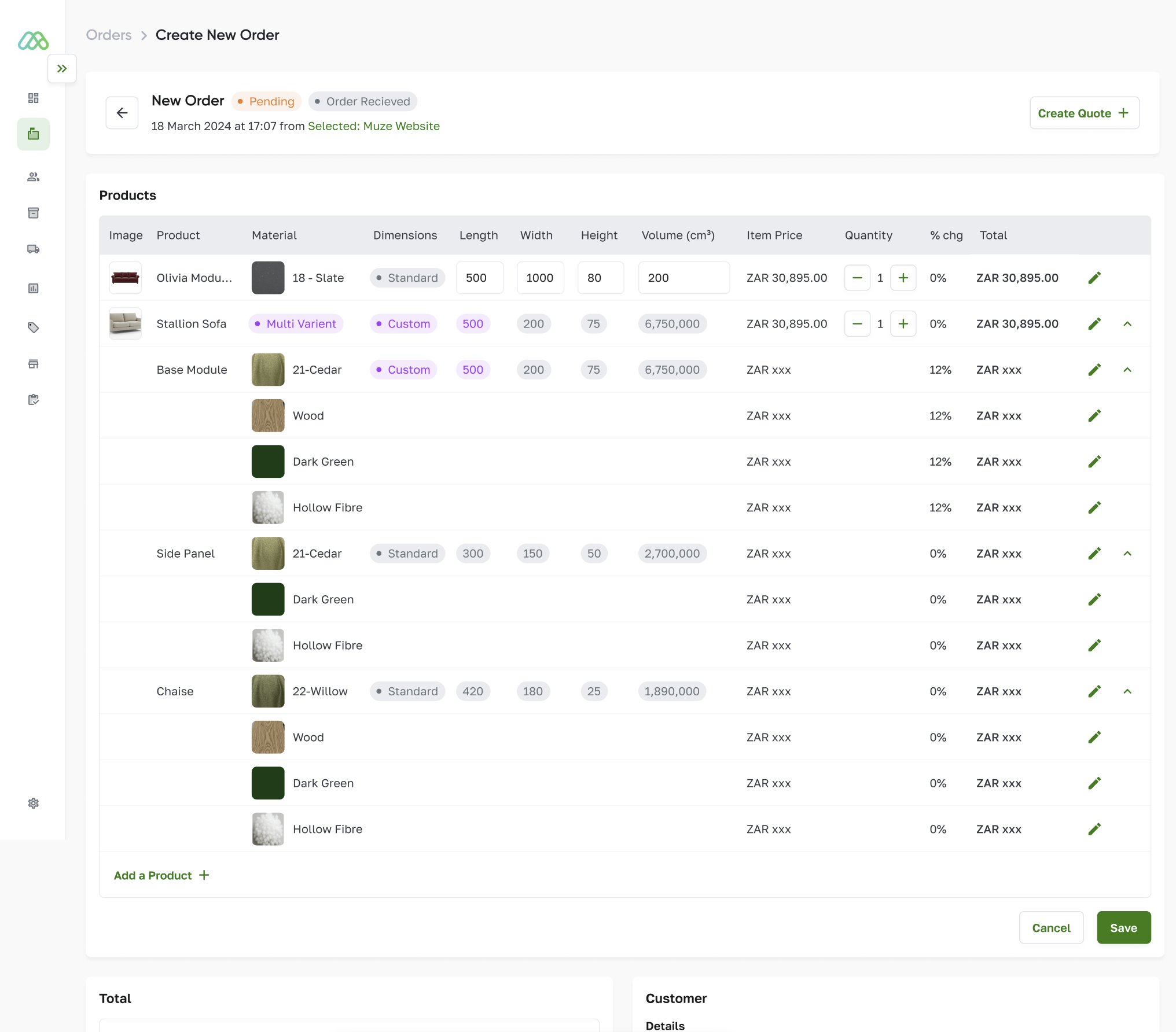
OLTA Product Walkthrough

From modular configuration to factory-ready orders in minutes

Built specifically for how OLTA sells and manufactures modular furniture.

What changes for OLTA

Sales team can configure faster. Pricing updates instantly. Every approved quote becomes a production-ready order with the correct structure, materials, and manufacturing outputs already in place.

  • Quotes in minutes, not 20+ minutes
  • No interpretation between showroom and factory
  • Live pricing across fabrics and options
  • One process across showrooms and partners
  • Multi-location quoting across showrooms and partners
  • Automated purchase orders for missing materials

The OLTA workflow inside MIRA

Each step below mirrors the showroom flow discussed in our meeting. The focus is speed, clarity, and direct alignment with factory production.

Current reality

  • Multiple tools across SketchUp, Excel, and manual calculation
  • Pricing not visible instantly during configuration
  • Sales to factory handoff still depends on interpretation
  • Hard to standardise process across a growing showroom network

With MIRA

  • One configurator for product, dimensions, materials, and price
  • Live visual output with clear layout and dimensions
  • Approved quote converts directly into structured order data
  • Factory receives BOM, job card data, and material requirements automatically
  • Price lists managed by customer, location, or country with agent and stockist discount structures
  • Connects with existing local manufacturing software to sync job statuses and stock
Step 01

Select product

Choose the base product and start the quoting flow from a clear visual catalogue.
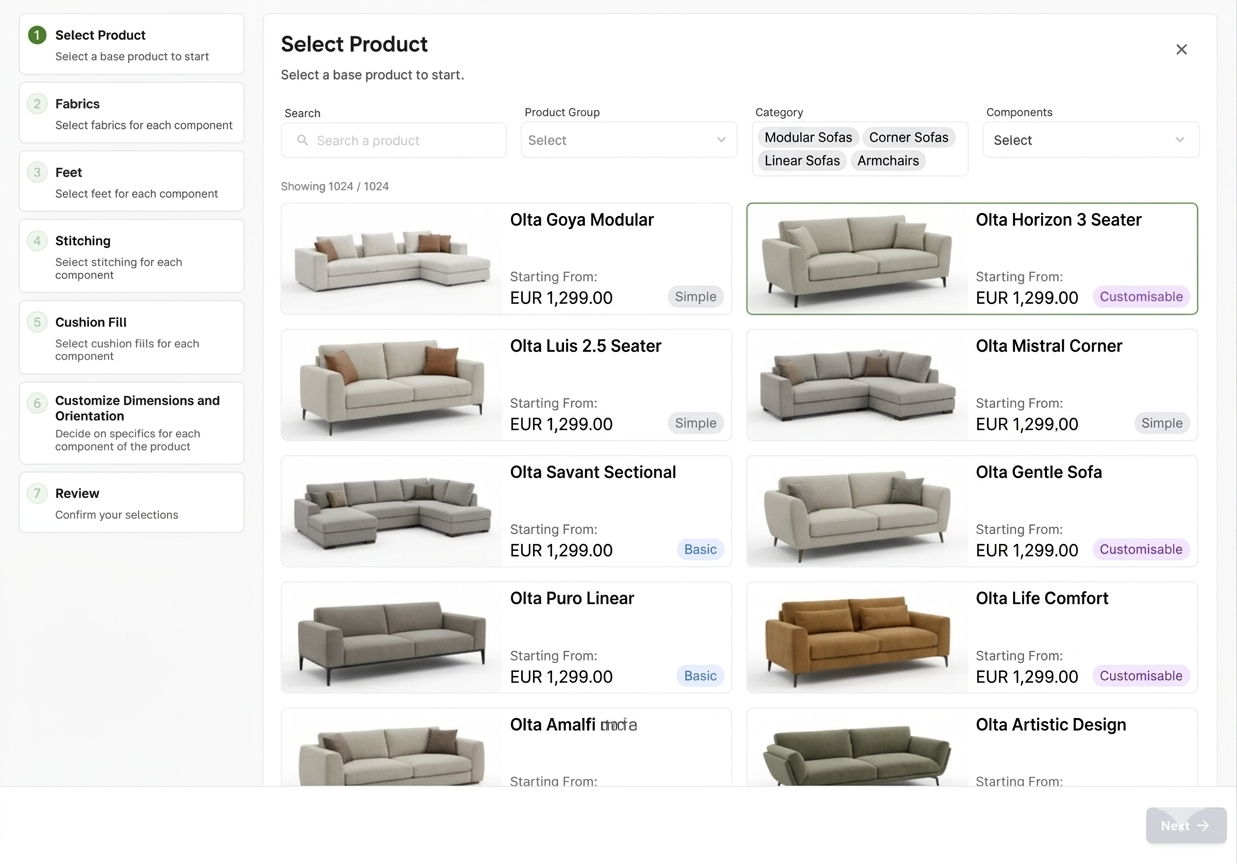
Select product screen

What happens here

  • Salesperson selects the base product from the MIRA catalogue
  • Starting price is visible immediately
  • The product type determines the available configuration path

Why it matters for OLTA

One clear starting point for showroom staff. No jumping between files, visuals, and spreadsheets.
Step 02

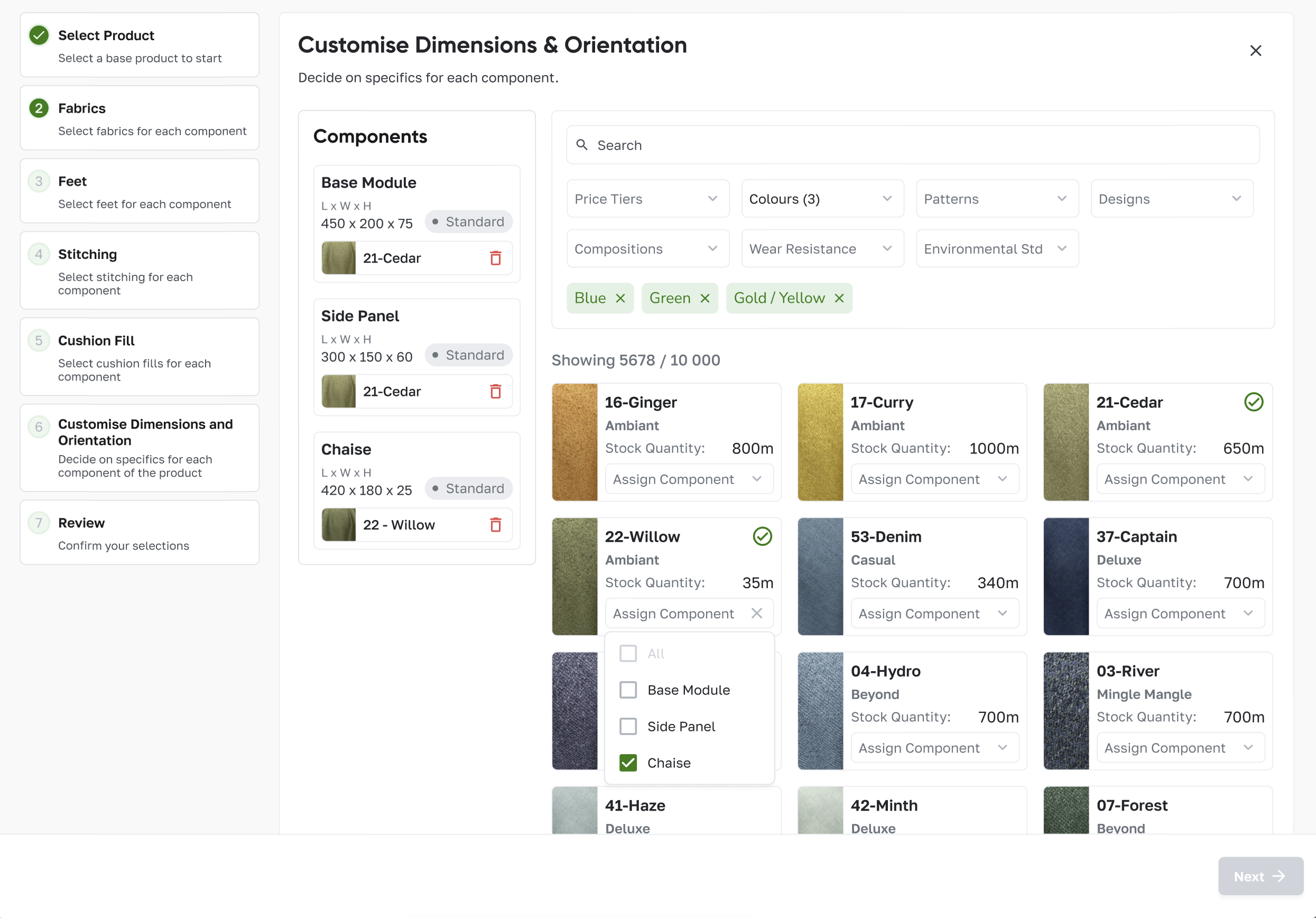
Select fabrics by component

Assign fabrics per element with live stock visibility and instant price impact.

Select fabrics screen

What happens here

  • Fabrics are filtered by colour, pattern, composition, and tier
  • Stock quantities are visible for internal decision-making
  • Fabric can be applied to all components or assigned individually
Result Price and material decisions happen in one place, with the right fabric tied directly to the right element.

Fabric house integration

MIRA connects with fabric houses for a wide range of digital textures. Stock levels are managed in real time and purchase orders for missing materials can be raised automatically.

Step 03

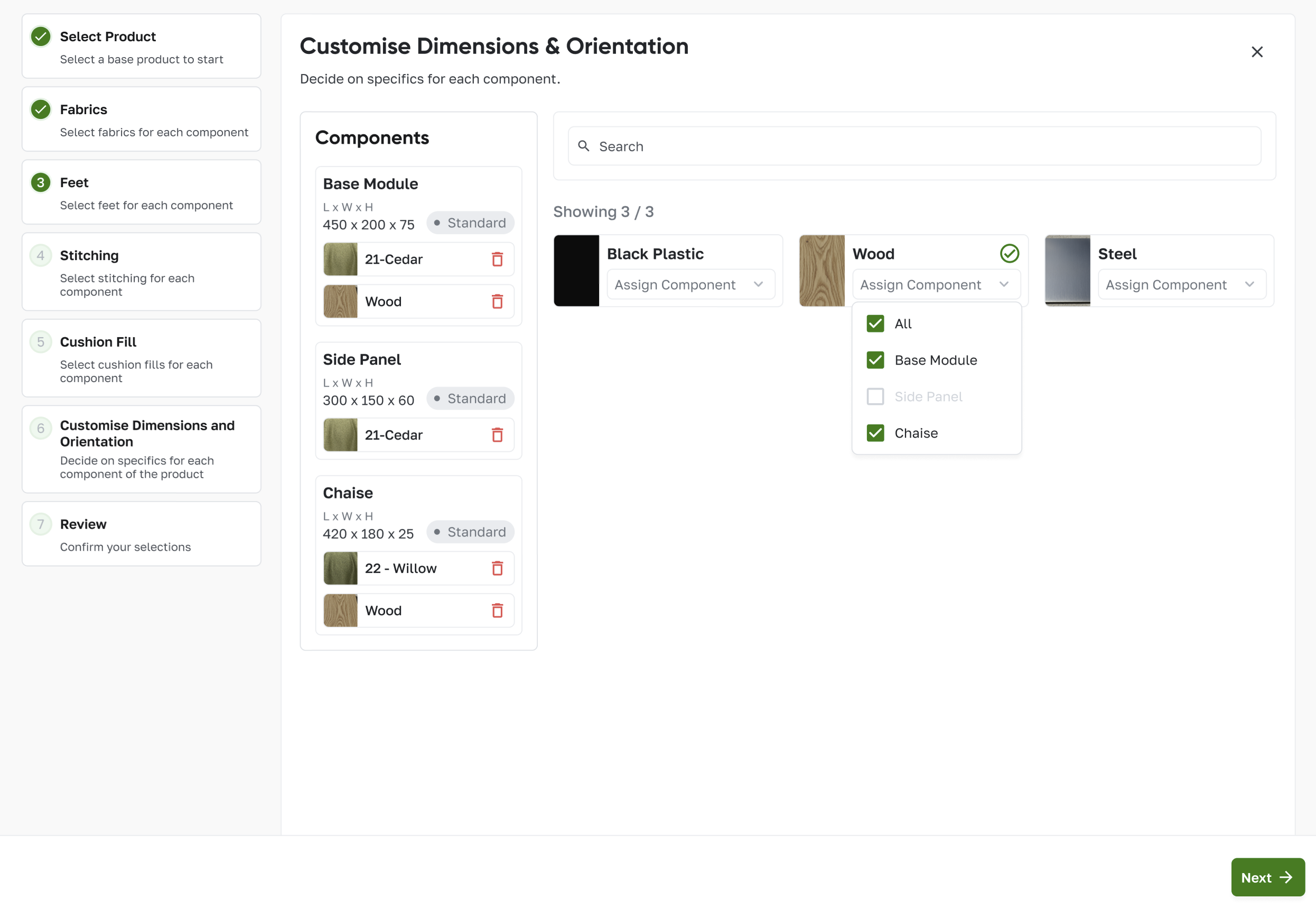
Select feet

Apply feet options per element or across the full product.

Select feet screen

What happens here

  • Feet material is selected visually
  • Same option can be applied across all components or assigned selectively
  • Selection flows directly into the BOM

Factory outcome

The order already contains the right feet specification when it reaches production.

Step 04

Select stitching

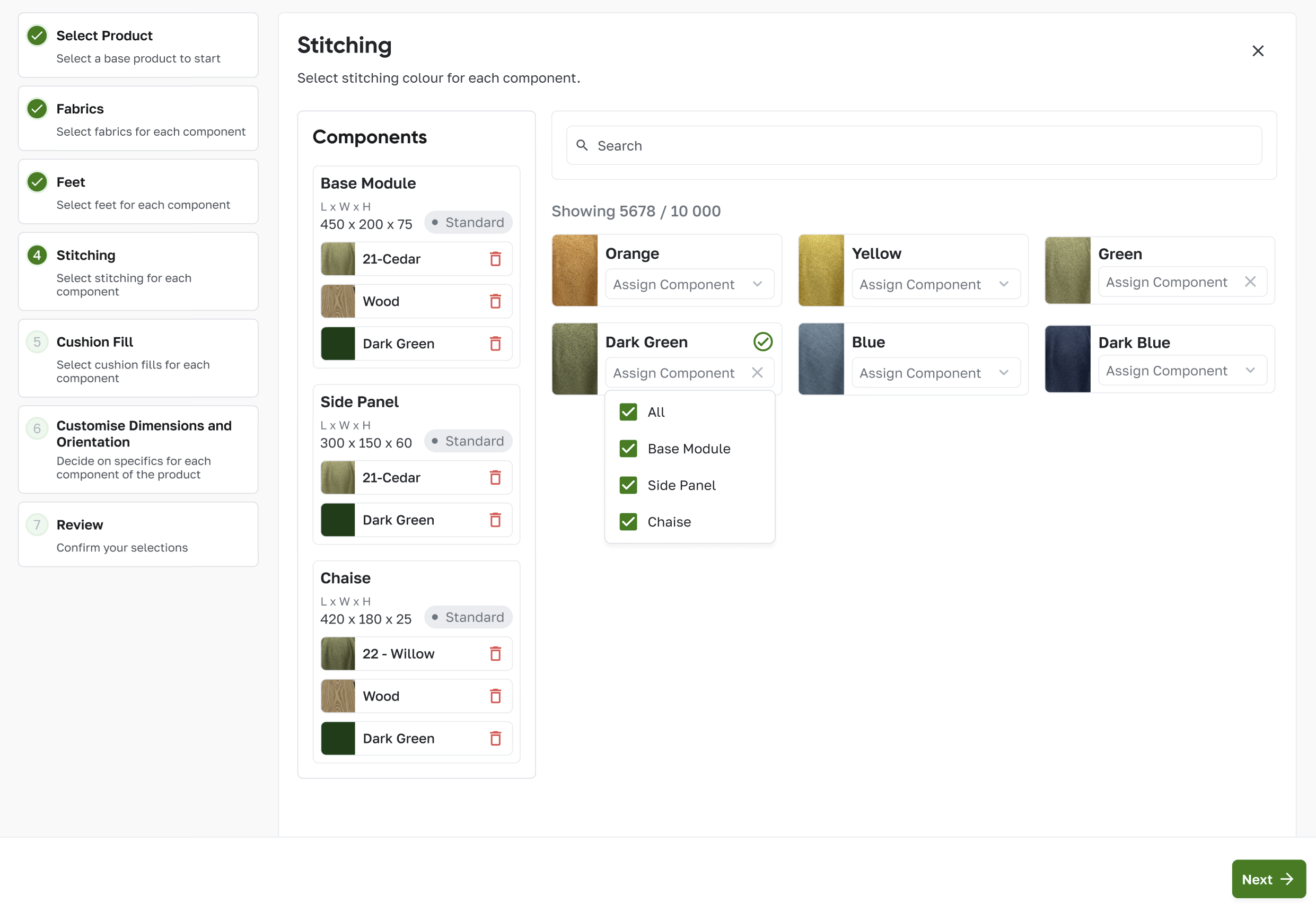
Choose stitching colour and apply it across the relevant components.

Select stitching screen

What happens here

  • Stitching colours are searchable and visual
  • Selections can be assigned per component or across all
  • The configuration remains structured throughout the quote

Why it matters for OLTA

Sales detail does not get lost later. The exact finish carries through into the production output.

Step 05

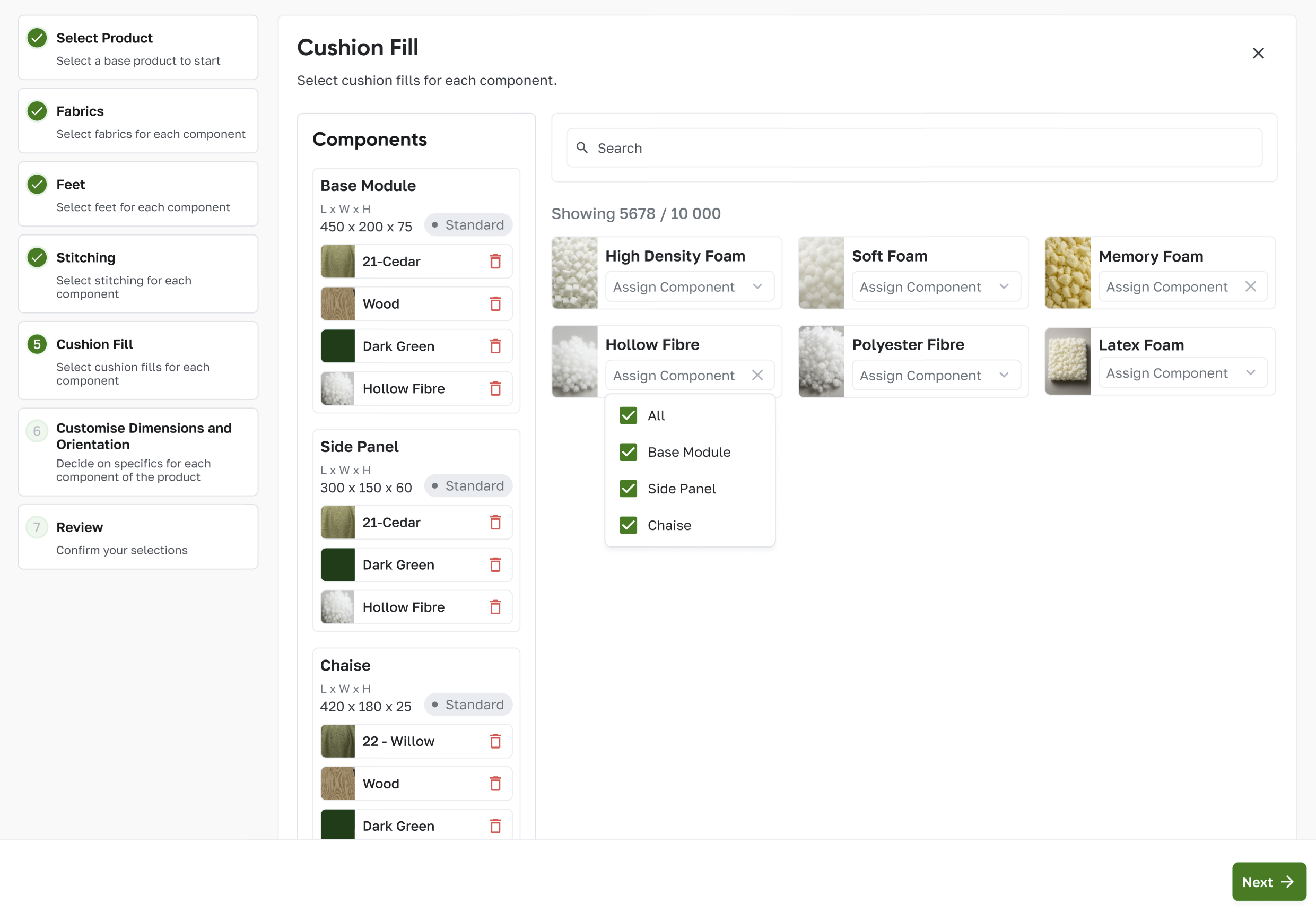
Select cushion fill

Assign the correct fill option to the correct elements.

Select cushion fill screen

What happens here

  • Fill type is selected visually and assigned by component
  • Selections can be standardised or mixed by element
  • Material requirements update in the background
Result The approved order already knows what comfort specification production must build.
Step 06

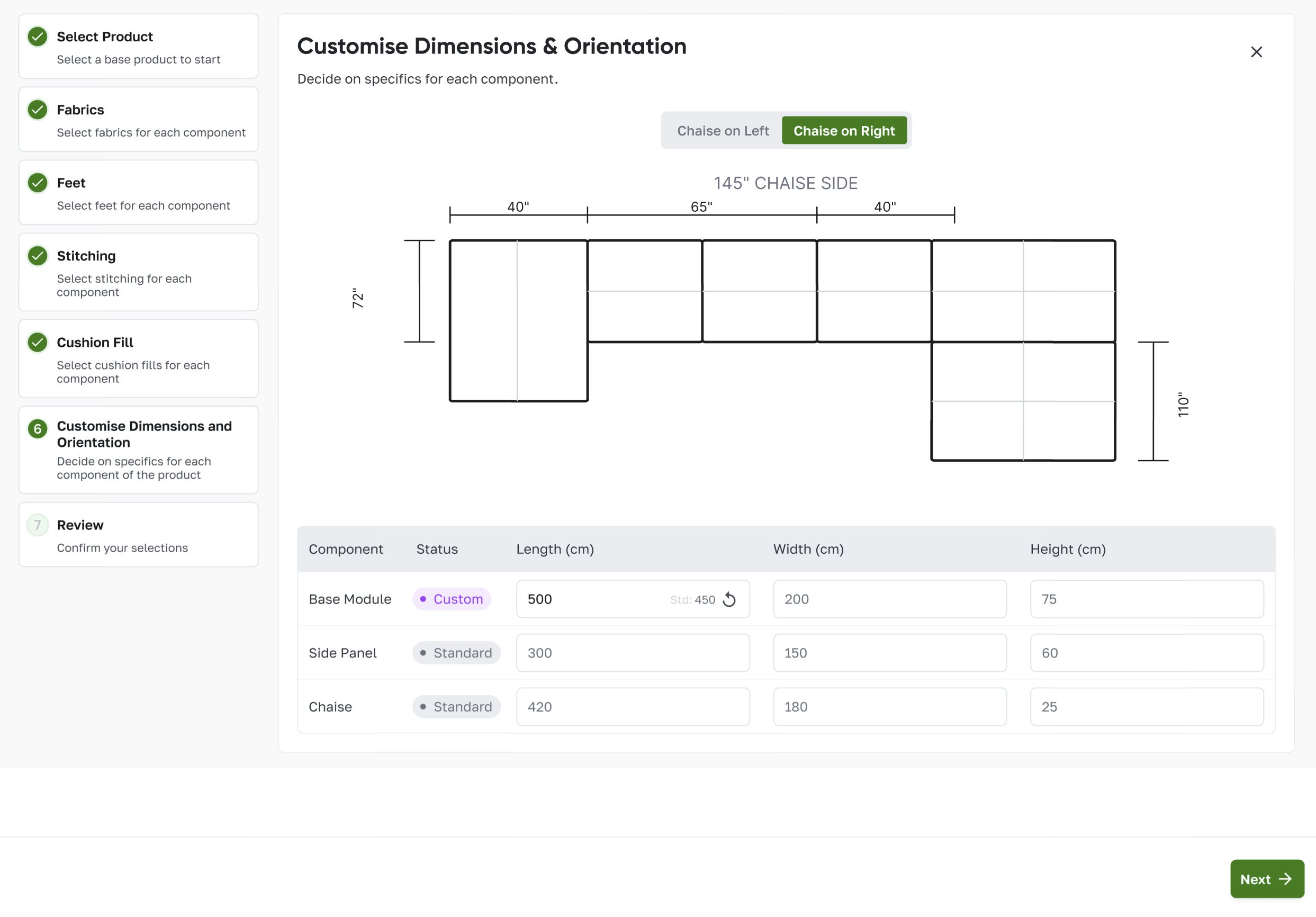
Customise dimensions and orientation

Show the assembled layout, total footprint, and live size changes clearly to the salesperson and the customer.

Dimensions and orientation screen

What happens here

  • Dimensions are controlled per component
  • Orientation can be switched instantly
  • The visual layout updates with final assembled proportions

Why it matters for OLTA

This is the key showroom moment. Customer and salesperson can see whether the configuration fits the room before the order is approved.

Step 07

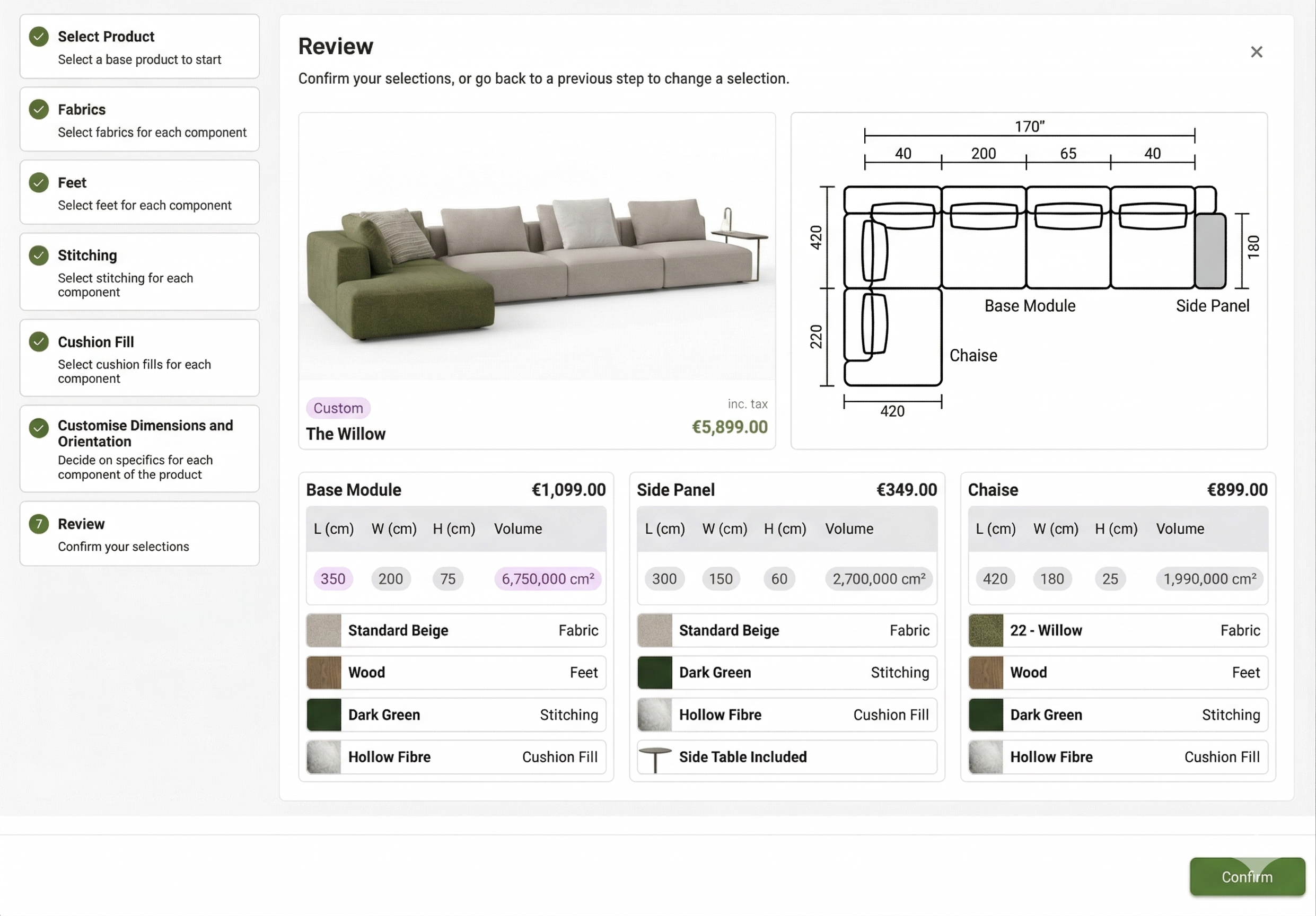
Review the full configuration

Bring the visual, price, dimensions, and component breakdown together before confirmation.

Review screen

What happens here

  • The customer sees the final product render and layout
  • Each component shows its size and selected options
  • The final quoted price is visible before approval
Result One clean review step before the quote becomes an order. No manual re-entry. No missing detail.
Step 08

Convert to order and production output

The approved quote becomes a structured order with the full breakdown already ready for factory use.

Updated quote screen

What happens here

  • Component pricing and dimensions are already structured
  • Material and option selections carry through automatically
  • The order is ready for BOM, purchasing, and job card generation

Factory outcome

The confirmed order generates a job card with fabric requirements, dimensions, and line drawings — ready for the factory floor. No interpretation between sales and production.

Pricing and licensing

Straightforward costs across the full platform.

Platform fees

  • $1,499 / month — full platform access
  • Unlimited internal company users
  • One-time onboarding: $9,000
  • $99 per photorealistic 3D product model

What's included

  • External store user fees may apply separately
  • Onboarding covers configuration, training, and data migration
  • 3D model fee applies per product added to the catalogue

OLTA already has the product. This is the system that allows you to scale it.

From the first customer conversation to factory-ready output, MIRA gives OLTA one structured flow for modular furniture sales, pricing, and production.